B2B Staged User Management in Admin Panel
In this project, I enhanced the admin panel of an investment application serving both investors and advisors. The application required a dual-view system to efficiently manage staged users—new users who created accounts but are awaiting approval and invitation by an advisor. This B2B solution streamlined user management for a wealth management company, improving operational efficiency and user onboarding.
My Role
UX/UI Designer
Team
• 1 UX/UI Designer
• 1 CX Designer
Client
Wealth management company
Initial Task and Objectives
Objective
• Enable admins to quickly and easily identify staged users in Admin panel
• Facilitate the process of sending invitation emails to staged users directly from the admin panel.
• Provide clear and immediate visibility into the various invitation statuses (Invited, Pending Invite, Expired, Bounced, Failed).
User Insights and Process Flow Analysis
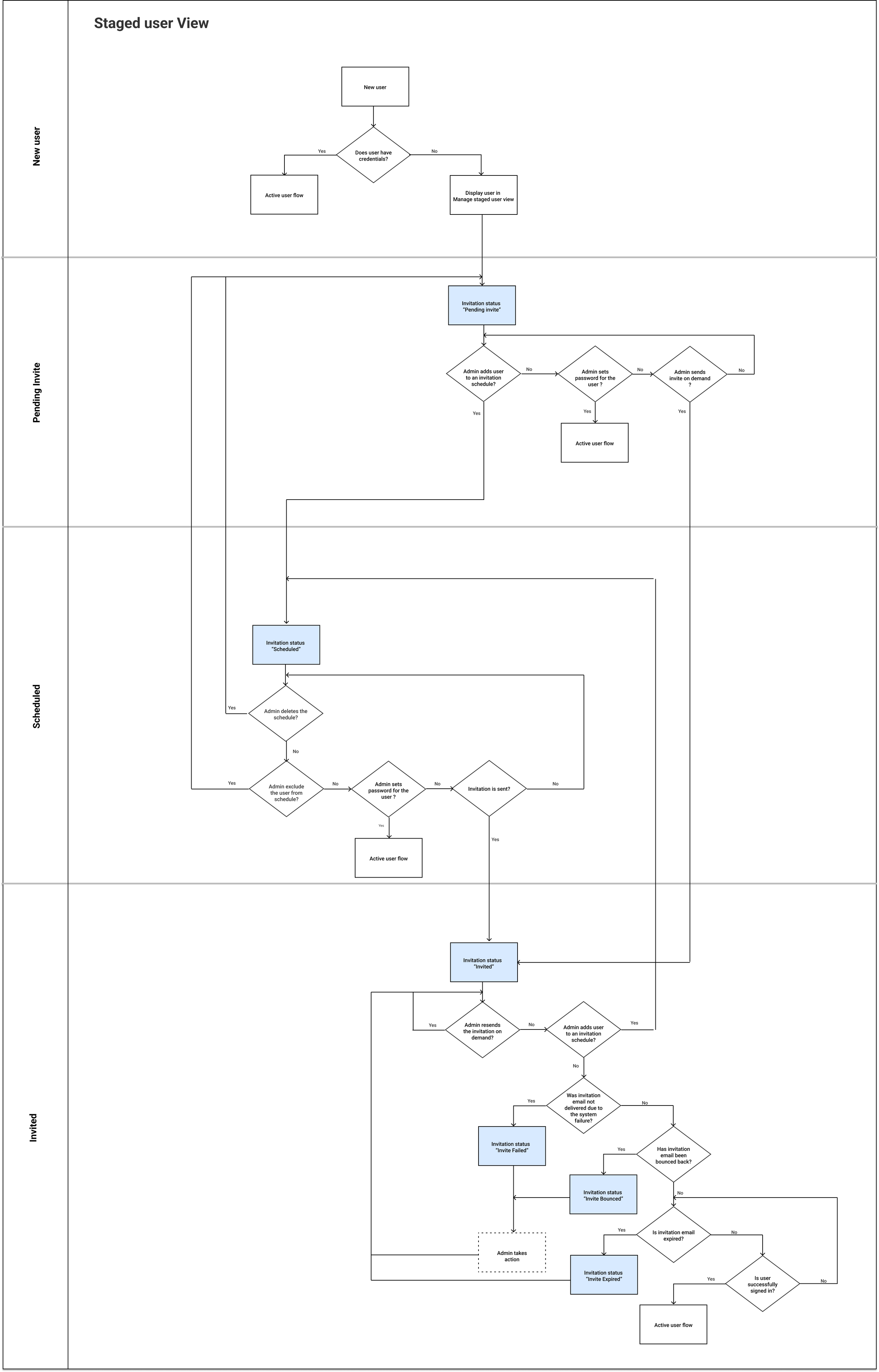
After conducting in-depth interviews with end users (admins) to gather their insights and understand their needs, a swimlane diagram was developed. This diagram served to map and analyze existing process flows.
Iteration 1: Clarifying Staged Status and Invitation Management
Approach
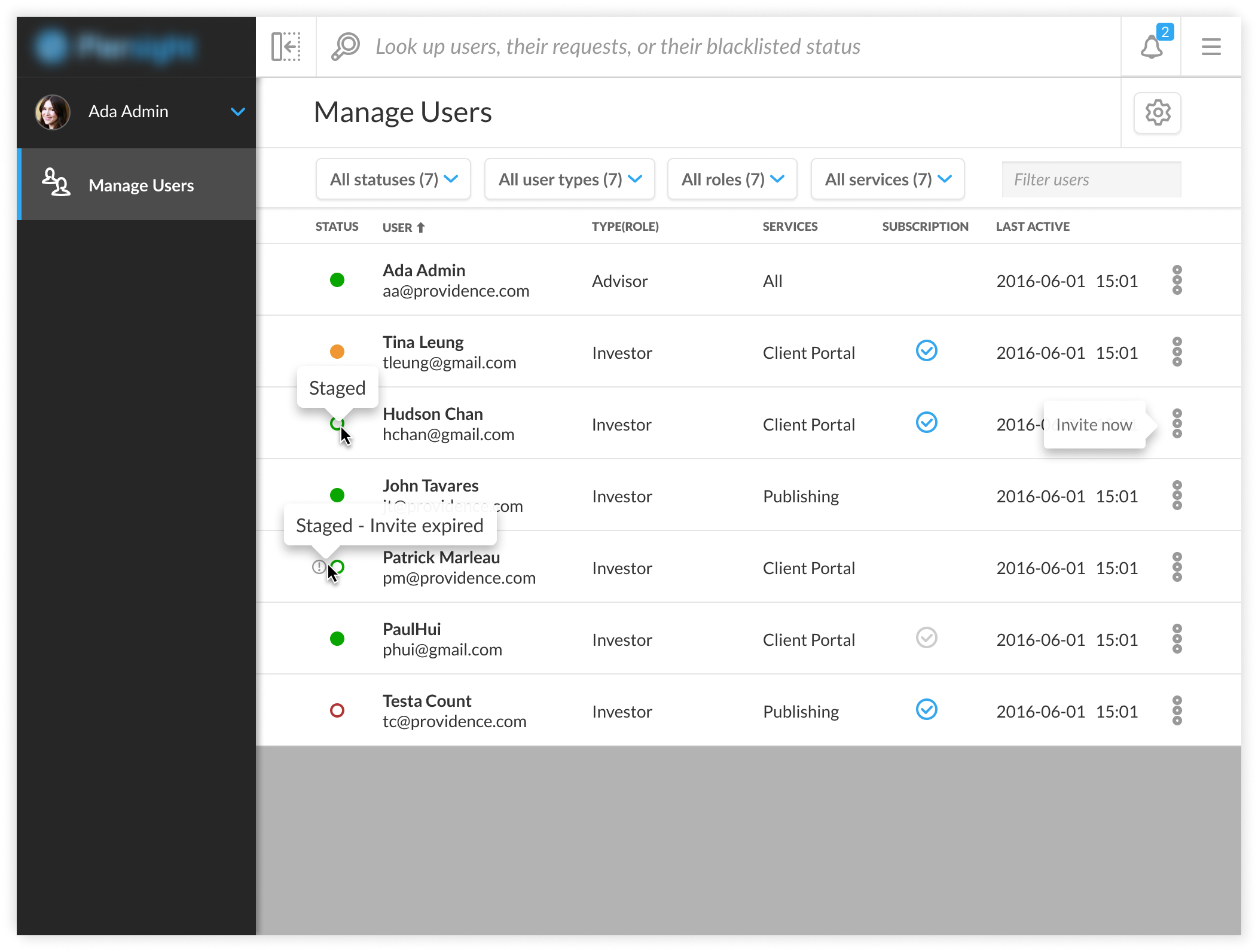
• Introduced a "Staged" status label to the Status column
• Added an alert (!) icon to indicate the invitation status directly in the user status column.
• Added an "Invite User" option within the kebab menu for each staged user, allowing admins to easily send an invitation without navigating away from the page.
Upon internal review, feedback highlighted that:
• Status column became cluttered and confusing all the time, diminishing the clarity and usability of the interface.
• Received some suggestions about alternative approaches to improve user experience
Outcome
Iteration 2: Design Refinement and User Feedback
Approach
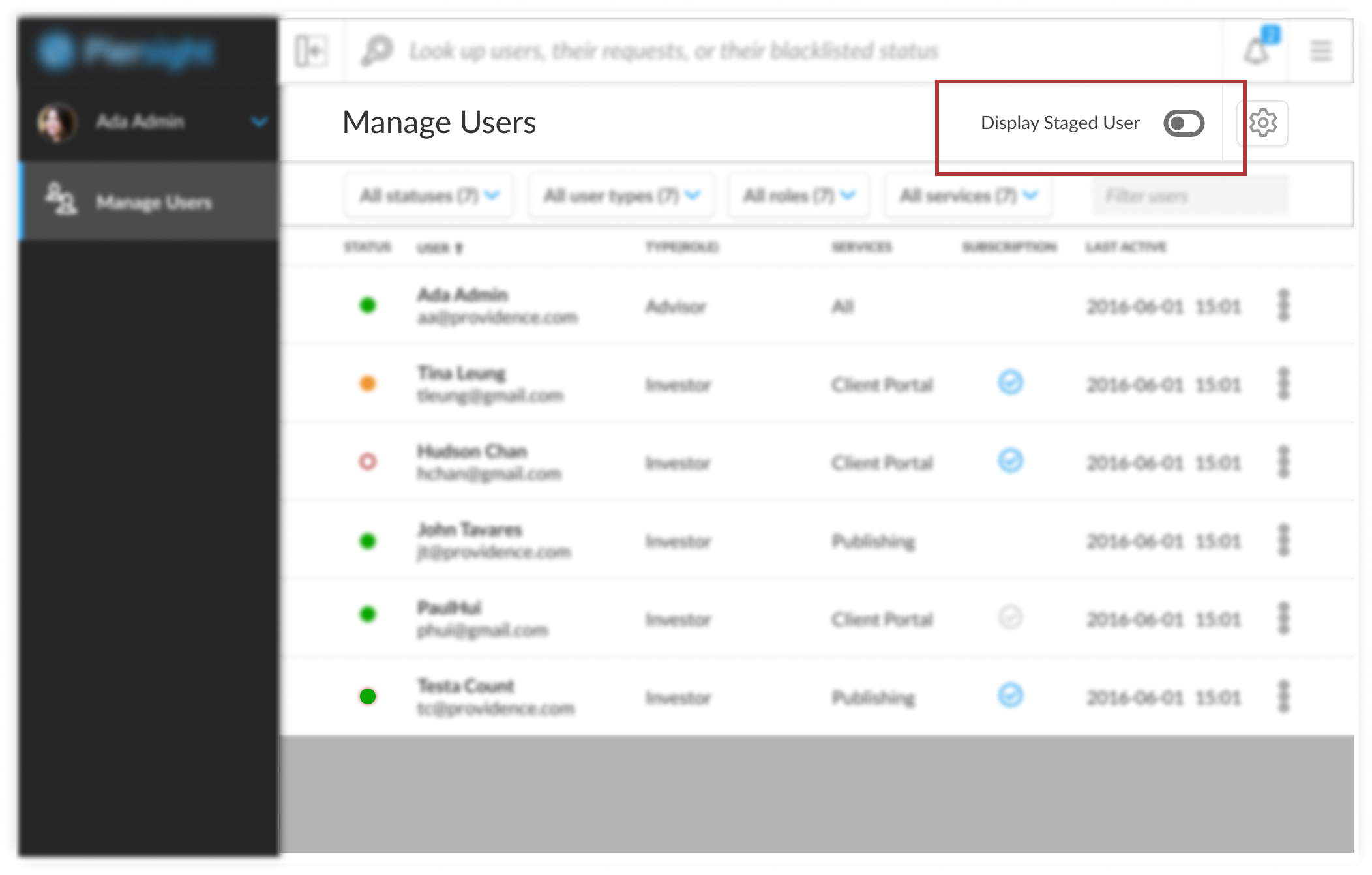
Proposed a design with an option to toggle between viewing all users and staged users only, intending to declutter the interface.
Outcome
While the internal feedback was positive, user testing revealed that the toggle was not intuitive, causing confusion. Users also expressed a desire for more detailed information on invitation dates.
Iteration 3: Rethinking the Staged User Experience
Approach
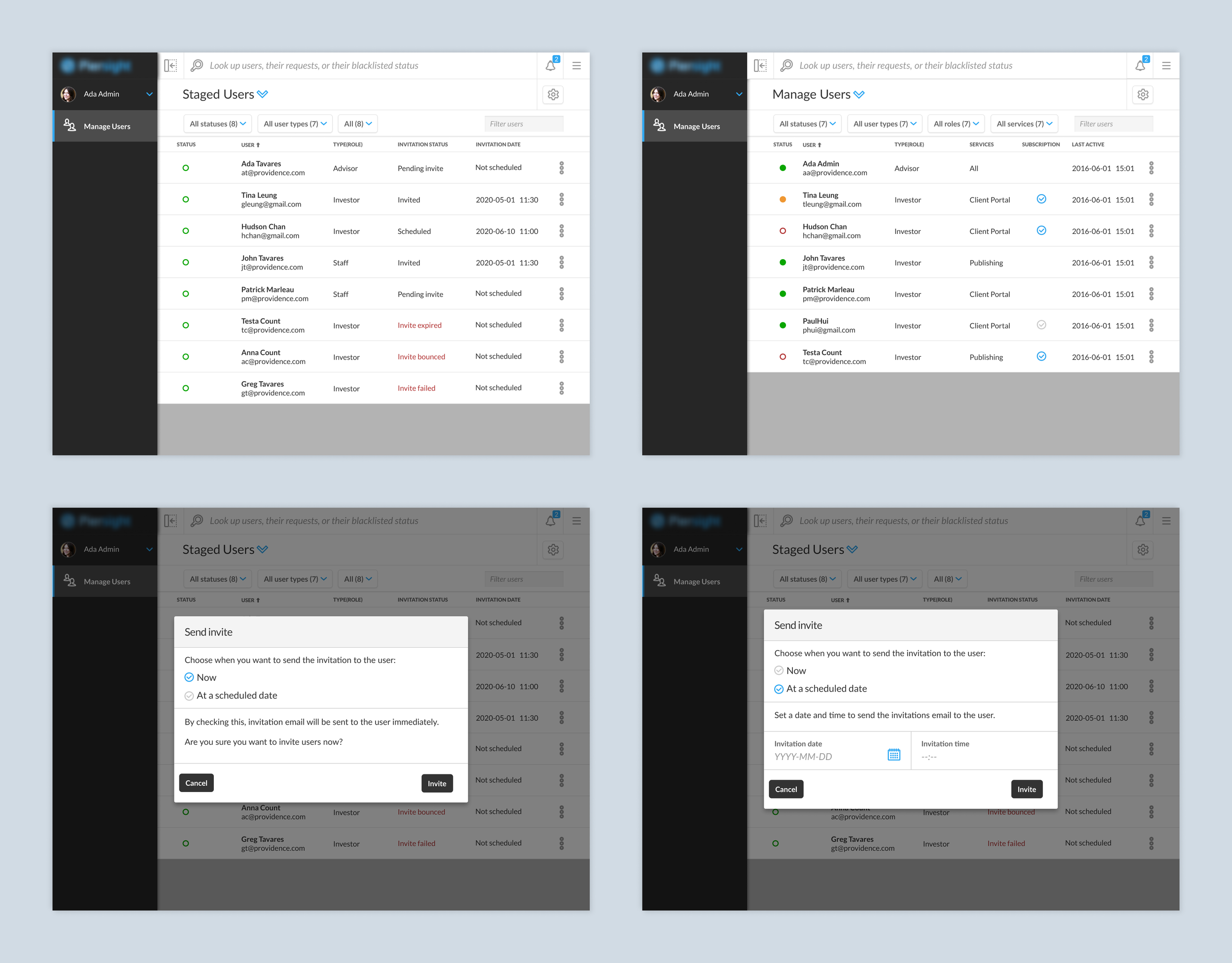
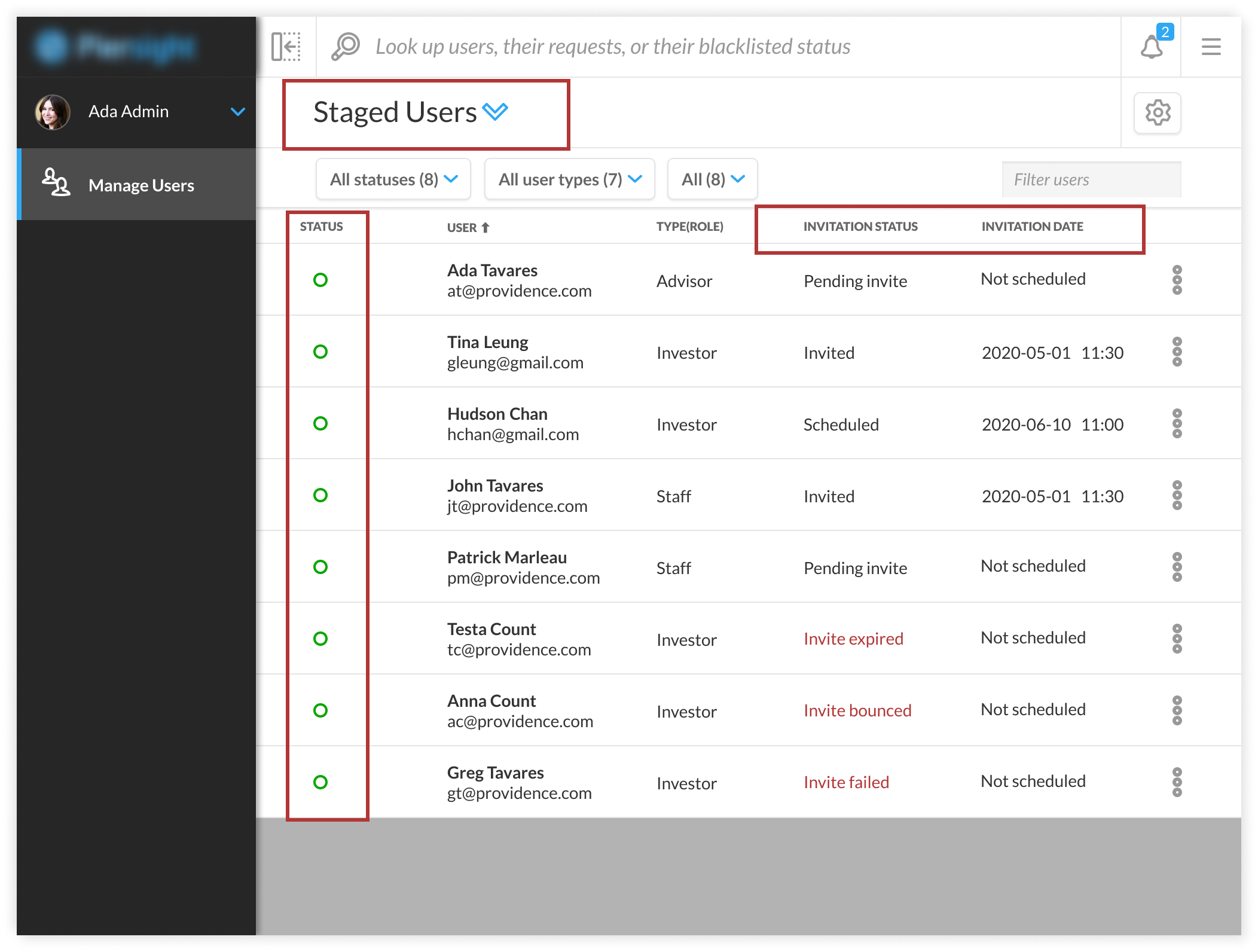
Informed by client and internal feedback, we developed a more intuitive approach by creating a dedicated view for staged users. This redesign aimed to eliminate confusion by separating staged users from the main user list, adding specific columns for invitation details like dates and statuses to provide clearer information at a glance.
Outcome
This refined approach markedly improved admin usability, as evidenced by the final round of usability testing, which demonstrated the design’s success in meeting user needs. Admins found the specialized staged user view significantly more efficient for managing invitations, validating the redesign’s effectiveness through positive feedback and streamlined administrative tasks.
Reflections and Lessons Learned
As a junior UX designer on this project, I learned the crucial lesson of deeply understanding user needs before proposing solutions. This was highlighted when the initial toggle design, a seemingly quick fix for differentiating user types, failed to meet actual user requirements. This experience taught me the value of not rushing into design ideas without fully grasping the problem, emphasizing that effective solutions are born from a foundation of clear user insights and problem definition. Through this case study, I've come to appreciate the iterative process of design, which fosters adaptability and a user-centered approach to solving design challenges.
Final Mockups Samples